
Okey night at the café: free QR table tents
Let the phone keep the okey score: how cafés print free QR table tents, stickers and a door poster in two minutes, and what guests get out of it.
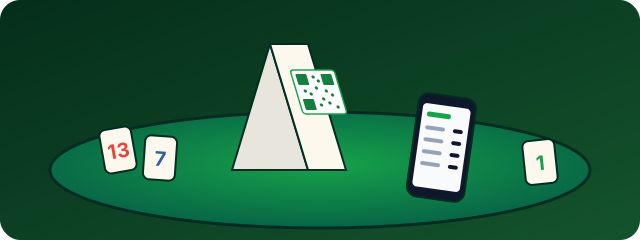
Okey night at the café: free QR table tents for your tables
Anyone who plays okey in a café knows the ritual. Someone grabs a scrap of paper, draws columns for four names and adds up the scores in their head after every round. By the third penalty round the totals no longer match, and the argument over 101 versus 110 points takes longer than the game itself. With a QR code on the table, the phone does the maths. This article shows how a café can set up its tables in two minutes, and what the guests get out of it.
What guests experience at the table
A guest scans the code with their phone camera. A scoreboard opens in the browser, with no app and no sign-up. They enter the four player names and get a six-character PIN. The others at the table type in the PIN or scan the QR code on that screen, and from then on everyone sees the same live score.
- Enter points instead of adding them up: after each round one person types in the points, and the totals are always right.
- Penalties and double finishes: the rules of 101 Okey are built in, and Romme and Rummikub are supported too.
- Several games in one evening: in match mode, several games run under the same PIN and the overall standings are kept.
- Share the result: at the end, the final standings can be sent to the WhatsApp group as an image.
The QR kit: what's inside
On the QR table tents for cafés page, you enter your café's name and print the kit straight from the browser on plain A4 paper:
- Table tent: one A4 page, folded along the dashed line, stands on the table as a tent with the QR code on both sides.
- Door poster: so guests see at the entrance that scores are kept digitally here.
- Twelve round stickers: to cut out and stick to tables where a tent would be in the way.
Your café gets its own code. The QR codes count anonymously how often they are scanned, without storing anything about your guests, so later you can see whether the tents are being used.
Tips for the first evening
- Put the tent in the middle: between the players, not at the edge. The code should be readable from both sides.
- Show it once: walk the first table through it. The other tables watch and copy.
- Leave a Wi-Fi note: anyone without mobile reception needs your Wi-Fi. A small card with the password next to the tent saves questions.
- Use match mode for tournaments: each table plays a match of several games, and the spectator link can show the standings on a TV in the room.
What it costs
Nothing. The kit is free, and so is the scoreboard. If you like, you can leave an email address when you create the kit and hear about new features made for cafés. That is optional and can be withdrawn at any time.